We are located at Kenya, Accra road white angle building shop 43 call: 0743885581 email:sales@minawatechnology.com
SALE

Crimping tool+ lan tester
Original price was: KSh 3,200.00.KSh 3,000.00Current price is: KSh 3,000.00.
Crimping Tool with LAN Tester

What is a Crimping Tool?
What is a LAN Tester?
Why Use a Crimping Tool with LAN Tester?
This combo is especially helpful for:
-
Making custom-length Ethernet cables
-
Fixing broken cables
-
Checking cable quality during installation
-
Saving money by not buying ready-made cables
How to Use It
Using a crimping tool with a LAN tester is simple. To begin, follow these steps:
-
Strip the Cable: Use the cutter on the tool to remove the outer jacket of the cable.
-
Arrange the Wires: Line up the colored wires in the correct order (usually T568B or T568A standard).
-
Insert into Connector: Push the wires into the RJ45 connector.
-
Crimp: Insert the connector into the crimping slot. Squeeze the handles firmly.
-
Test the Cable: Plug each end of the cable into the LAN tester. Turn it on and check the lights.
If, at this point, the lights show a mismatch, go back and redo the crimping steps.
Tips for Better Results
To ensure better performance, keep these tips in mind:
-
Always double-check the wire order before crimping.
-
Make sure to cut wires evenly so they fit well into the connector.
-
Use high-quality connectors and cables for better durability.
-
Be careful not to press too hard when stripping the cable. You might damage the internal wires.
What to Look for When Buying One
Before making a purchase, consider the following points:
-
Build Quality: Look for tools made from strong materials like steel. Plastic tools can break easily.
-
Comfort: Choose a tool with soft, non-slip grips. This makes it easier to use for longer jobs.
-
Tester Accuracy: Make sure the tester clearly shows the status of each wire.
-
Extra Features: Some kits also include screwdrivers, spare connectors, and a carry case — a great bonus.
Conclusion
In conclusion, a crimping tool with LAN tester is a smart investment for anyone working with network cables. Not only does it let you build, fix, and test cables, but it also saves time and reduces the chance of network errors. Overall, it helps you work faster, more accurately, and more affordably.
With just a little practice, even beginners can use it effectively. So, if you often set up networks — or want to manage your own home setup — this tool is a must-have.
Related products
-
SALE 
RG-AirMetro460G CPE
Original price was: KSh 11,000.00.KSh 10,000.00Current price is: KSh 10,000.00. -
SALE 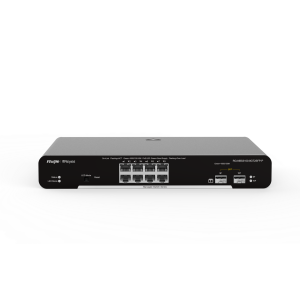
RG-NBS3100-8GT2SFP-P 10P
Original price was: KSh 30,000.00.KSh 29,000.00Current price is: KSh 29,000.00. -
SALE 
Fanvil i32v Door phone
Original price was: KSh 23,000.00.KSh 22,000.00Current price is: KSh 22,000.00. -
SALE 
Giganet 24p patch panel
Original price was: KSh 20,000.00.KSh 18,500.00Current price is: KSh 18,500.00.
Reviews
There are no reviews yet.